Supercharge Your Google Ads ROI
Stop wasting ad spend. Start dominating your market with data-driven strategies that deliver measurable results.
Performance Max Campaign Guide
Best Practices for Setting Up Performance Max Campaigns
1. Landing Page Selection

Pick your product landing pages carefully. Ensure page titles have a single keyword theme without including other keywords that Google might target.
2. Asset Groups Strategy
Add multiple Asset Groups that target product groups (NOT audiences or keyword themes). Each Asset group should:
- Target one product category
- Include Audience Signals targeting specific product-related keywords
- Target specific Audiences & Demographics likely to convert
3. Ad Copy Optimization
Create compelling headlines and descriptions featuring:
- Keyword Focus
- Emotional Triggers (FOMO)
- Clear Call to Action
4. Conversion Actions
Maintain only 1-2 active conversion actions, preferably focusing on Transactions over soft conversions.
Campaign Setup Steps
Step 1: Create New Campaign
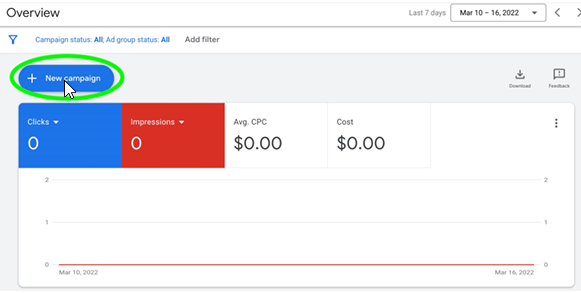
Start by creating a new Performance Max campaign in your Google Ads account
Get Campaign Setup HelpStep 2: Select Sales or Leads Goal

Choose your primary campaign objective - either driving sales or generating leads
Goal Setting ConsultationStep 3: Set Daily Budget
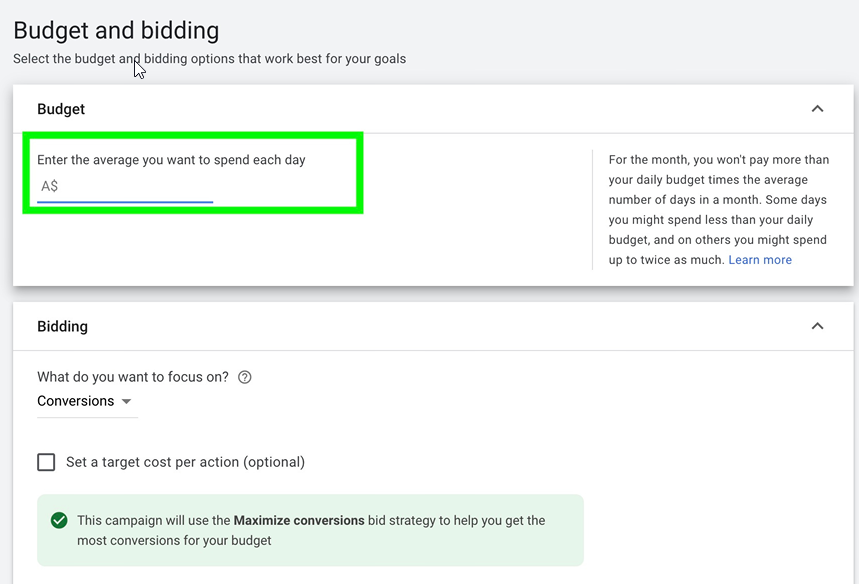
Configure your daily spending limit and bidding strategy
Budget Strategy SessionStep 4: Configure Locations
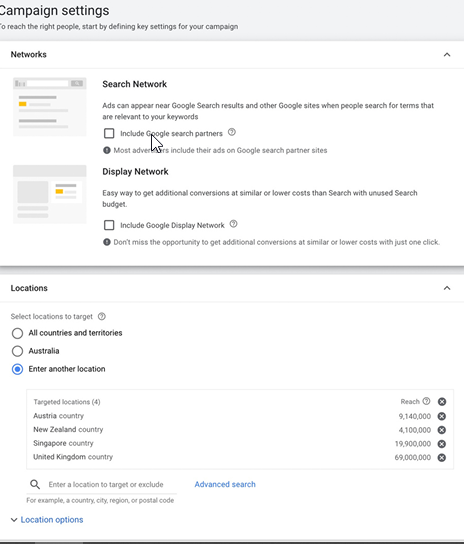
Define your target geographic locations and language settings
Location Strategy ReviewStep 5: Set Audience Signals
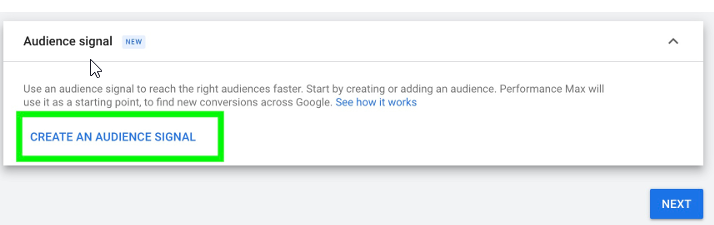
Configure audience signals to help Google identify your ideal customers
Audience Strategy HelpStep 6: Define Your Audience
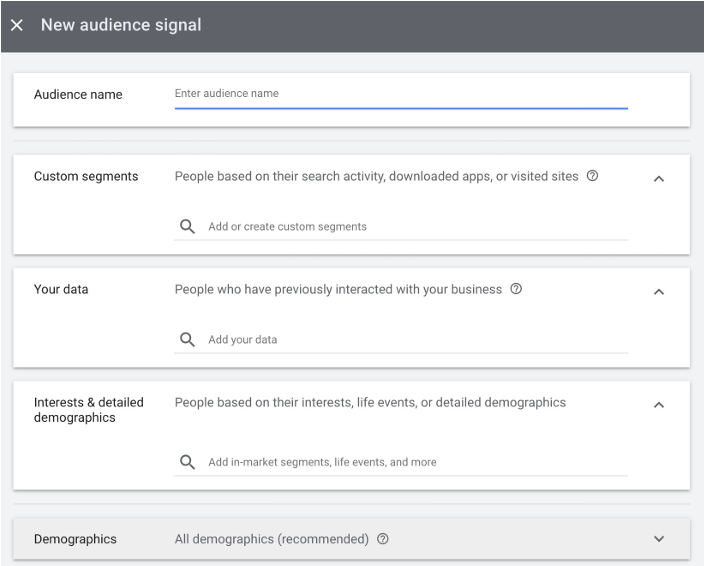
Refine your audience targeting with detailed demographic and interest settings
Audience OptimizationStep 7: Create Your Ads
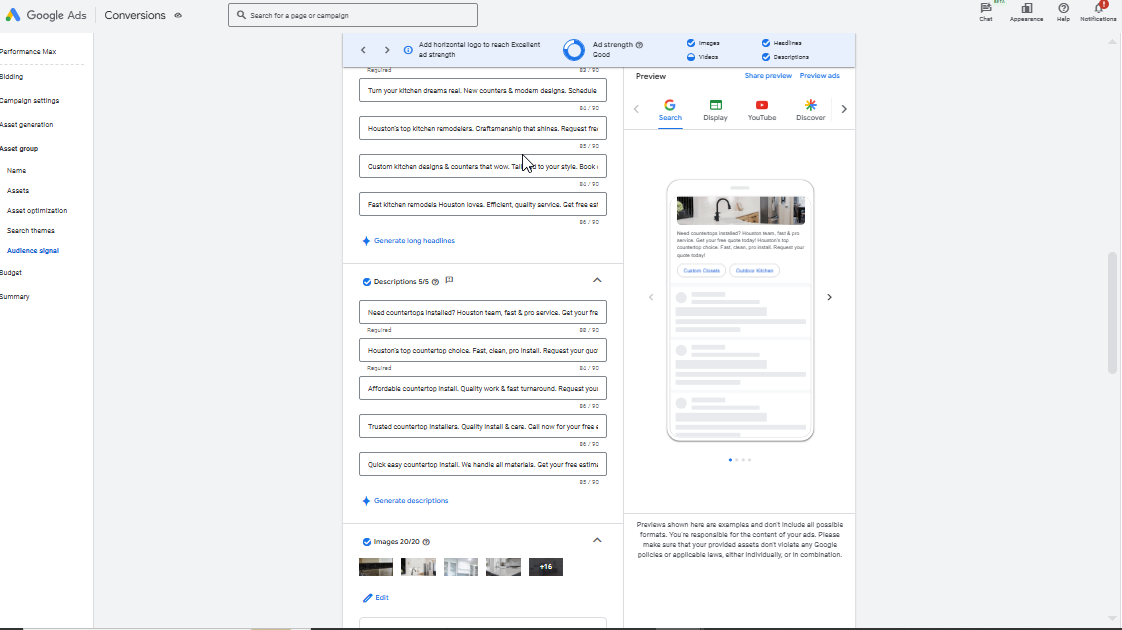
Design compelling ad assets including images, headlines, and descriptions
Ad Creation SupportWatch Our Performance Max Success Story
Ready to Maximize Your Campaign Performance?
Get expert guidance and start optimizing your Performance Max campaigns today!